Why Your Lead Magnet Isn't Converting (And 7 Ways to Fix It Today)
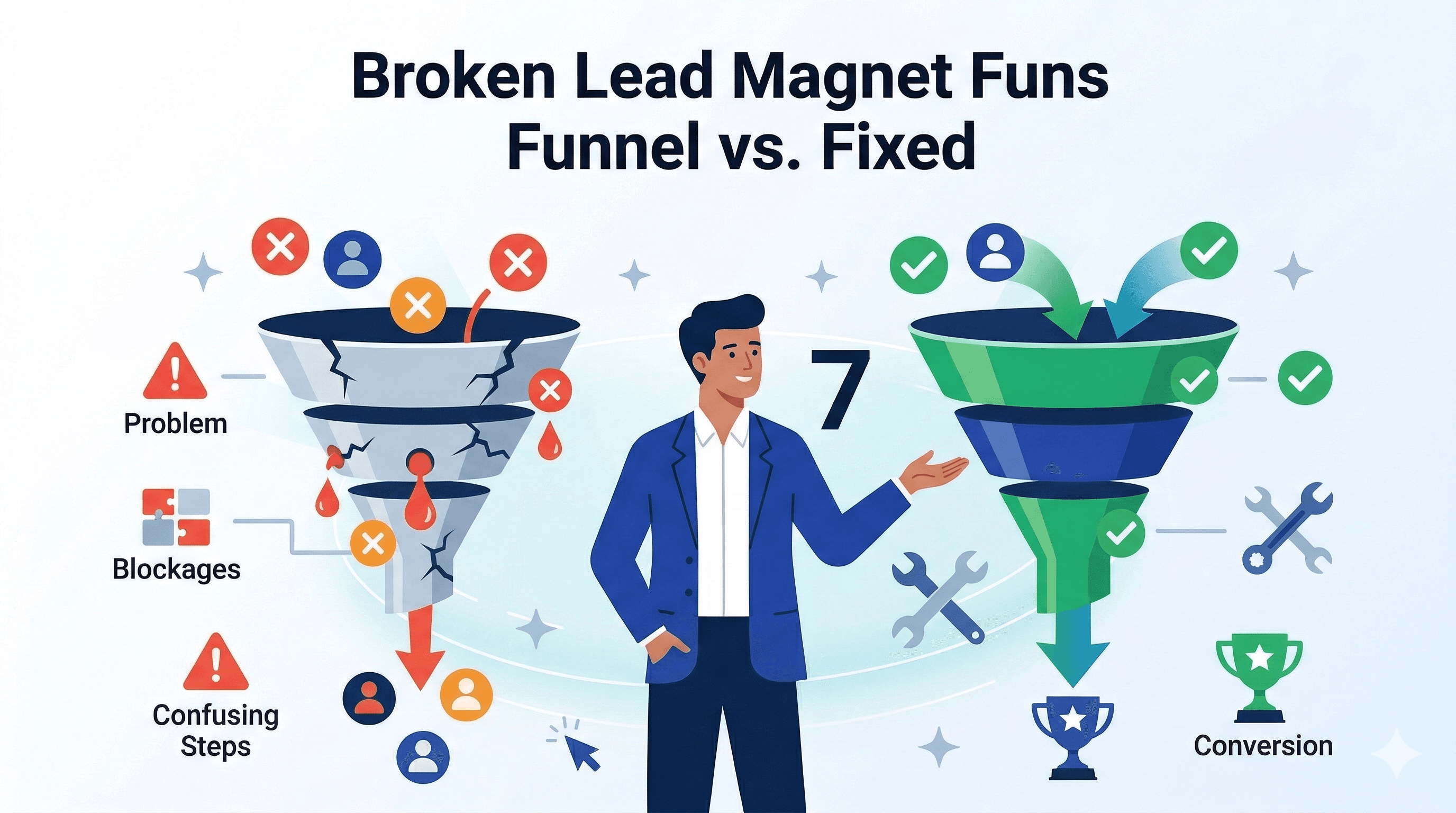
Why Your Lead Magnet Isn't Converting (And 7 Ways to Fix It Today)
Your lead magnet looked perfect on paper.
You spent weeks creating it. The landing page is beautiful. Traffic is flowing. People are downloading.
But then... nothing.
No calls booked. No sales. Just crickets.
What went wrong?
After reviewing 800+ underperforming lead magnets, we found that 89% fail for one (or more) of the same 7 reasons. The good news? Once you know which problem you have, the fix is usually straightforward.
Let's diagnose your lead magnet and get it converting.
The Diagnostic Framework
First, identify WHERE in your funnel things are breaking:
Check Your Numbers:
-
Landing page conversion: ___% (visitors → downloads)
- Healthy: 25-40%
- Warning: 15-24%
- Broken: Under 15%
-
Consumption rate: ___% (downloads → actually opened/read it)
- Healthy: 50-75%
- Warning: 30-49%
- Broken: Under 30%
-
Engagement rate: ___% (opened → clicked a CTA or replied to email)
- Healthy: 20-35%
- Warning: 10-19%
- Broken: Under 10%
-
Conversion rate: ___% (downloads → customers)
- Healthy: 15-25%
- Warning: 8-14%
- Broken: Under 8%
Where's YOUR breakdown? Let's fix it.
Problem #1: You're Attracting the Wrong People
The Symptoms:
- ✅ Good landing page conversion (30%+)
- ❌ Low consumption rate (Under 40%)
- ❌ Almost no engagement or sales
- ❌ Lots of "tire kickers" on calls
What Went Wrong:
Your lead magnet title promises something too broad or enticing, attracting everyone—including people who'll never buy.
Bad Examples:
- "The Complete Guide to Marketing" (too broad)
- "Free Marketing Templates" (attracts freebie seekers)
- "Make $10K/Month in 30 Days" (attracts dreamers, not doers)
The Problem: High download numbers feel good, but they're hiding the real issue: you're collecting useless emails.
The Fix: Qualify With Specificity
Make your title more specific to repel bad fits and attract ideal clients.
Before → After Examples:
❌ "The Ultimate Productivity Guide" ✅ "The Executive's Done-By-9AM System: How Senior Leaders Accomplish More Before Breakfast"
❌ "Social Media Marketing for Beginners" ✅ "The B2B LinkedIn Content System: Turn Industry Expertise Into 5+ Qualified Leads Per Week"
❌ "How to Get More Clients" ✅ "The Outbound System That Books 15+ Sales Calls Per Week (For B2B Service Providers Charging $5K+)"
Notice the pattern? Specific titles include:
- Target audience (who it's for)
- Specific outcome (what they'll achieve)
- Qualifier (price point, level, industry)
Real Fix Example:
Business: Marketing consultant Original lead magnet: "10 Marketing Strategies That Work"
- Opt-ins: 387/month
- Consumption: 34%
- Calls booked: 8
- Conversions: 1 client ($3,500)
New lead magnet: "The $25K/Month Marketing System for Service-Based Businesses ($5K+ Average Sale)"
- Opt-ins: 143/month (63% decrease)
- Consumption: 71% (108% increase)
- Calls booked: 19 (138% increase)
- Conversions: 7 clients ($24,500)
Revenue went up 600% with 63% fewer leads.
Your Action Steps:
- Add specific audience qualifier to your title
- Add specific outcome (with numbers)
- Add qualifier (price, level, timeframe)
- Test for 2 weeks—opt-ins will drop, quality will rise
- Track conversion, not just downloads
Problem #2: There's No Clear Next Step
The Symptoms:
- ✅ Good download numbers
- ✅ Decent consumption rate
- ❌ Almost no one takes action after reading
- ❌ No calendar bookings or inquiries
What Went Wrong:
Your lead magnet ends with a whimper, not a clear invitation. Readers finish, feel informed, close it, and move on with their day.
Common Mistakes:
- No CTA at all
- Weak CTA: "Contact us if you have questions"
- Too many options: "Visit our website, follow us, call us, or email..."
- CTA doesn't align with content
The Fix: One Clear, Compelling Next Step
The Formula:
[Acknowledge where they are now]
+
[Present the logical next step]
+
[Remove friction]
+
[Create light urgency]
Bad CTA: "Thanks for reading! If you need help, feel free to reach out."
Good CTA: "You now have the framework. Most people get stuck in the implementation phase—specifically [specific obstacle].
That's exactly where we help.
Book a 30-minute implementation planning call this week. We'll review your situation and create a custom 30-day roadmap (no pitch, no obligation).
I have 3 slots left this week: [Link to calendar]"
Real Fix Example:
Business: Business coach
Original ending: "Congratulations on finishing this guide! We hope you found it valuable. If you'd like to work with us, visit our website at [link]."
- CTA click rate: 3%
- Calls booked: 4 per month
New ending: "You now have the $1M roadmap. Here's where it gets real:
Only 12% of people who have this roadmap actually execute it alone. The rest get stuck at one of three points: [specific obstacles].
If you want to be in the 12%, you need three things:
- Accountability (weekly check-ins)
- Custom troubleshooting (when you hit obstacles)
- proven templates (so you're not starting from scratch)
That's exactly what my 90-Day Fast-Track program provides.
Let's talk about your specific situation. Book your free strategy call here: [Link]
I only take 3 new clients per month, and March is filling up. If you're serious about hitting $1M in 2026, let's make sure you're one of them."
- CTA click rate: 27%
- Calls booked: 34 per month
750% increase in bookings from one change.
Your Action Steps:
- Review your ending—is there a clear next step?
- Rewrite using the formula above
- Make calendar link the ONLY option
- Test different urgency angles (spots, timing, bonus)
- A/B test CTA language
Problem #3: Your Content Is Good, But Not Relevant
The Symptoms:
- ✅ People download and read
- ❌ But they don't see how it applies to them
- ❌ Generic feedback: "Interesting, but..."
- ❌ No follow-up questions or engagement
What Went Wrong:
You created valuable content, but it's too theoretical. Readers can't picture themselves implementing it or see how it solves THEIR specific problem.
Common Issues:
- Too high-level / strategic
- Not enough examples
- Examples from wrong industries
- No personalization or variation
The Fix: Add Specific, Relatable Scenarios
Before → After Examples:
❌ Generic: "Step 3: Implement a follow-up system to stay in touch with prospects."
✅ Specific: "Step 3: The Monday Morning Follow-Up System
If you're a consultant or coach, here's what this looks like:
Every Monday at 9 AM, review your [Tool] for anyone who:
- Downloaded your lead magnet this week
- Opened your email but didn't reply
- Attended your webinar but didn't book
Send them [specific email template on page 24].
Real example: Jennifer (business coach) implemented this and booked 5 calls in her first week—from leads she thought were dead."
The difference:
- Specific audience (consultant/coach)
- Specific day/time (Monday 9 AM)
- Specific action (what to review, what to send)
- Specific tool reference (template on page 24)
- Specific result (5 calls booked)
Real Fix Example:
Business: Productivity consultant
Original content: "Use time blocking to increase productivity. Divide your day into focused blocks and assign tasks to each block."
- Feedback: "Good idea, but I'm not sure how to start"
- Conversion: 9%
New content: "The Executive's Time Blocking Method
Morning (6-9 AM): Deep Work ONLY
- No email, no Slack, no meetings
- Your #1 priority project
- Put phone in drawer
Example: Sarah (COO) uses this for strategic planning. In 3 months she finalized Q3 strategy, wrote the annual plan, and designed a new org structure—work that had been "urgent but never urgent" for 8 months.
Mid-Day (9 AM-12 PM): Meetings & Collaboration
- All meetings scheduled here
- Team check-ins
- Client calls
Example: Mark (CEO) moved all his meetings to this block. His team adapted in one week, and his deep work time tripled.
Afternoon (1-3 PM): Communication & Admin
- Email processing (2x per day max)
- Slack responses
- Quick tasks
Post-Work (3-5 PM): Creative/Development
- Learning new skills
- Long-term projects
- Strategic thinking
Your template is on page 31."
Results:
- Consumption increased from 47% to 68%
- "This could work for me" responses went from 12% to 49%
- Conversion rate: 9% → 19%
Your Action Steps:
- Go through your lead magnet—count examples
- Add at least one specific example per major point
- Use names, numbers, timelines, industries
- Create "If you're a [specific role], here's what this looks like" sections
- TEST: Send to 5 ideal clients and ask "Can you see yourself doing this?"
Problem #4: You're Not Following Up (Or Foll owing Up Badly)
The Symptoms:
- ✅ Downloads happening
- ✅ People seem interested
- ❌ But you're not staying top of mind
- ❌ Leads go cold after 1-2 emails
What Went Wrong:
Most businesses send 1-2 emails after a download, then stop. Meanwhile, the average person needs 7-13 touchpoints before they're ready to buy.
Common Mistakes:
- One "here's your download" email, then nothing
- Generic newsletter added to their inbox
- No segmentation or personalization
- Giving up after no response
The Fix: The 30-30-30 Follow-Up System
First 30 Hours: High-frequency, high-value
- Hour 0: Delivery email + expectation setting
- Hour 12: "Did you see [specific section]?"
- Hour 24: Case study related to content
- Hour 30: Personal check-in question
Next 30 Days: Consistent nurture
- Day 3: Implementation tip #1
- Day 6: Overcome objection #1
- Day 10: Case study #2
- Day 14: "Let's talk?" invitation
- Day 18: Free tool/template
- Day 24: Overcome objection #2
- Day 30: Final invitation
Next 30 Weeks: Long-term stay-in-touch
- Weekly value emails
- Monthly check-ins
- Quarterly "big content" (webinar, new guide)
The Key: Every email should either:
- Provide value (so they keep opening), OR
- Invite conversation (so they can take next step)
Never send "just checking in" or generic content.
Real Fix Example:
Business: Web design agency
Original follow-up:
- Email 1: "Here's your website planning guide"
- Email 2 (1 week later): "Did you find it helpful?"
- [Crickets]
Conversion: 6%
New follow-up sequence:
Hour 0: "Your Website Planning Guide + Quick Question"
- Delivers guide
- Asks: "What's your current website's biggest problem?"
- 41% reply rate!
Hour 24: "The $10K Mistake on Page 7"
- Points to specific section
- Shares case study
- Soft CTA
Day 3: "Here's the template from page 14"
- Sends editable template
- Shows how to customize it
- Offers "template walkthrough call"
Day 7: "Quick question about your timeline"
- Asks when they're planning to redesign
- Segments responses:
- "Within 3 months" → Sales call offer
- "3-6 months" → Continued nurture
- "Not sure" → Educational content
Day 14: "What's stopping you from starting?"
- Addresses top 3 objections
- Shares pricing guide
- Calendar link
Day 21: (Only if no response) "Should I keep sending these?"
- Honest question
- Lets them opt out or re-engage
- 31% re-engagement rate!
Results:
- Open rates: 64% average (vs 19% before)
- Reply rate: 18% (vs 2% before)
- Call conversions: 6% → 22%
267% increase in conversion.
Your Action Steps:
- Map out your current follow-up (how many emails? When?)
- Write 7 more emails for the next 30 days
- Each email: one value + one question or CTA
- Use real stories and specifics (not generic)
- Set up automation, track engagement, iterate
Problem #5: Your Lead Magnet Doesn't Create Urgency
The Symptoms:
- ✅ People love your content
- ✅ They say "I'll do this soon"
- ❌ But "soon" never comes
- ❌ Long lag time between download and purchase
What Went Wrong:
Your lead magnet educated them but didn't create a reason to act NOW. They put it in their "someday" folder and move on.
Common Issues:
- Content is timeless (not urgent)
- No consequences shown for waiting
- No limited-time offer
- Too much to implement (overwhelming)
The Fix: Add Urgency Elements
1. Show the Cost of Waiting
Add a "Cost Calculator" section:
"Let's do the math on waiting:
If your current system loses you 2 qualified leads per week...
- That's 8 leads per month
- At your 25% close rate: 2 clients per month
- At your $5,000 average sale: $10,000/month
Every month you wait = $10,000 left on the table.
6 months = $60,000.
Can you afford to wait?"
2. Add Seasonal or Timely Angles
- "Q2 is planning season—if you don't fix this now, you're locked into broken systems for 6 months"
- "Your competitors are reading this too—first mover advantage matters"
- "This opportunity window closes when [market condition changes]"
3. Limited Spots Psychology
"I can only take 3 new implementation clients in March (because we do deep 1-on-1 work).
The January and February cohorts are already full, and I have 2 March spots left as of today.
If you're ready to implement this faster, with expert guidance, let's talk this week: [Calendar]"
4. Create "Quick Win" Urgency
"You could implement Phase 1 this week and see results by Friday. But most people wait 'until they have time'—which never comes.
Let's get your first win THIS WEEK. Here's how: [specific first step]"
Real Fix Example:
Business: Sales training
Original CTA: "When you're ready to improve your sales process, book a call."
- Calls booked: 6/month from 200 downloads
New CTA: "Here's What's at Stake:
Your sales team closes 18% of qualified leads right now.
If this training increases that to 25% (typical result), and you have 40 qualified leads per month, that's:
- Current: 7.2 clients/month
- After training: 10 clients/month
- Difference: 2.8 more clients/month
At your $8,500 average sale, that's $23,800 more revenue. PER MONTH.
Every month you delay = $23,800 left on the table.
Q1 is almost over. Let's make sure Q2 is your breakout quarter.
I have 2 training slots left for April delivery. If you want one, book your planning call this week: [Link]"
Results:
- Calls booked: 6/month → 19/month
- Close rate: 28% → 37%
217% increase in bookings.
Your Action Steps:
- Calculate the real cost of not solving the problem
- Add a "cost calculator" to your lead magnet
- Create seasonal or timing-based urgency
- Rewrite your CTA with cost of waiting
- Test limited spots messaging (if true!)
Problem #6: Your Lead Magnet Is Too Long (Or Too Short)
The Symptoms:
- Downloads happening
- But consumption rate is terrible
- People start but don't finish
- Or: finish too fast and forgot about you
What Went Wrong:
Length needs to match your audience's commitment level and your price point.
The Data:
- Under $500 product: 5-10 pages ideal
- $500-$2,000: 15-25 pages
- $2,000-$5,000: 25-40 pages
- Over $5,000: 35-50+ pages
Common Mistakes:
- Trying to "add value" by making it longer
- Including everything you know
- Not editing ruthlessly
- Or: Being too brief and not building enough trust
The Fix: Match Length to Price and Commitment
For High-Ticket (Over $3K):
You NEED comprehensive content because:
- Buyers need to trust your expertise deeply
- They're comparing you to competitors
- The buying cycle is longer anyway
- They need proof you understand complexity
Make it 35-50 pages, but:
- Use visuals to break it up
- Add "TL;DR" summaries
- Include table of contents with page numbers
- Design matters—whitespace, headers, bullets
For Low-Ticket (Under $1K):
You need quick wins because:
- Buyers want fast results
- They're comparing how quickly value arrives
- Attention span is shorter
- They're lower-commitment
Make it 8-15 pages, but:
- Pack it with actionable steps
- Include templates and tools
- Make it feel complete (not abbreviated)
- Promise and deliver tangible outcome
Real Fix Example:
Business: LinkedIn consultant (selling $497 course)
Original lead magnet: 47-page comprehensive guide
- Download-to-finish: 23%
- Conversion: 11%
- Feedback: "Great info, but overwhelming"
New lead magnet: 12-page action guide + 6-page template workbook
- Download-to-finish: 67%
- Conversion: 19%
- Feedback: "I actually did it!"
For High-Ticket Example:
Business: Strategic consultant (selling $15K engagements)
Original: 18-page overview
- Consumption: 71%
- Conversion: 9%
- Feedback: "Interesting, but does he really understand our complexity?"
New: 52-page deep dive with framework, case studies, methodology
- Consumption: 49%
- Conversion: 21%
- Feedback: "This person clearly knows what they're doing"
The paradox: Fewer people finished it, but MORE people bought.
Your Action Steps:
- Check your price point vs. content length
- Too short for high-ticket? Add case studies, methodology explanations, depth
- Too long for low-ticket? Cut to essentials, create toolkit instead
- Test both and measure consumption AND conversion
- Ask: "Would I pay [your price] based on this content?"
Problem #7: There's No Bridge Between Content and Offer
The Symptoms:
- People love your lead magnet
- They thank you for it
- But they don't see how your service helps them implement
- Or: they feel like they can do it themselves now
What Went Wrong:
Your lead magnet taught the "what" and "why," but not enough "how." So they either:
- Think they have everything they need (they don't), OR
- Feel overwhelmed and give up
The Missing Piece: The implementation bridge.
The Fix: Show the Gap
Throughout your lead magnet, make it clear:
- What you're teaching (strategy, framework, approach)
- What you're NOT teaching (detailed implementation, troubleshooting, customization)
- Where they'll likely get stuck
- How your service bridges that gap
Strategic Content Markers:
Every 5-7 pages, include a box like this:
⚠️ IMPLEMENTATION NOTE

This strategy is simple conceptually, but there are 7 common
mistakes that derail most people:

1. [Mistake 1]
2. [Mistake 2]
... [etc]

We help our clients avoid these mistakes with [your service].
If you want help implementing this correctly, let's talk: [link]
Or:
💡 THE DIY PATH VS. GUIDED PATH

You absolutely CAN do this yourself. Here's what that looks like:

DIY Path:
- Research and customize templates (15-20 hours)
- Trial and error implementation (20-40 hours)
- Troubleshooting when it doesn't work (variable)
- Timeline: 6-8 weeks
- Success rate: ~40%

Guided Path:
- We provide customized templates (done for you)
- Implementation with expert guidance (4-6 hours of your time)
- Troubleshooting included (as needed)
- Timeline: 2-3 weeks
- Success rate: ~91%

Your choice. If you want the guided path: [link]
Real Fix Example:
Business: Marketing agency
Original lead magnet: Complete content marketing playbook
- Feedback: "This is great! I can totally do this myself."
- Conversion: 7%
Problem: They gave away too much value WITHOUT showing the implementation complexity.
New approach: Same content, BUT added:
- "Implementation Complexity" ratings (1-5 stars) for each tactic
- "Common Pitfalls" boxes showing where people usually fail
- "Time Investment" estimates for DIY
- "This ls Where We Help" callouts at 4 strategic points
- "Fast-Track Implementation" offer at end
Results:
- Perception shifted from "I can do this" to "I COULD do this, but it would take months"
- Conversion: 7% → 18%
They didn't sell less because they showed the work—they sold MORE because they showed the REAL work.
Your Action Steps:
- Add implementation difficulty ratings
- Show time investment required
- Highlight common mistakes
- Add "fast-track" option at key points
- Be honest about DIY vs. Guided paths
The Fix-It Checklist
Go through this checklist and rate your lead magnet:
Targeting & Positioning
- [ ] Title is specific (not generic)
- [ ] Clear who it's FOR (and who it's NOT for)
- [ ] Includes qualifier (price, level, industry)
- [ ] Repels wrong people, attracts right people
Content Quality
- [ ] Specific, actionable examples (not theoretical)
- [ ] Industry-specific scenarios
- [ ] Real numbers and timelines
- [ ] At least 3-5 detailed case studies
Call to Action
- [ ] One clear next step (not multiple options)
- [ ] Strong, specific CTA (not "contact us")
- [ ] Removes friction (calendar link, not email)
- [ ] Creates light urgency
Follow-Up System
- [ ] At least 7 emails in first 30 days
- [ ] Each email provides value + invitation
- [ ] Segmented based on engagement
- [ ] Personal tone, specific content
Urgency & Timing
- [ ] Shows cost of waiting
- [ ] Includes seasonal/timely angle
- [ ] Quick win offered immediately
- [ ] Limited availability (if true)
Length & Format
- [ ] Length matches price point
- [ ] Easy to consume (formatting, visuals)
- [ ] Complettion rate over 50%
- [ ] Doesn't feel too long OR too short
Implementation Bridge
- [ ] Shows what you're teaching vs. NOT teaching
- [ ] Highlights implementation complexity
- [ ] Shows DIY path vs. Guided path
- [ ] Multiple "bridge" CTAs throughout
Your Score: ___/28
- 24-28: You're optimized
- 18-23: A few tweaks needed
- 12-17: Significant gaps
- Under 12: Time for a rewrite
One Company, All 7 Fixes
Let me show you what happens when you fix everything:
Company: Business coaching for entrepreneurs
Original Lead Magnet: "The Complete Business Growth Guide"
- Downloads: 342/month
- Consumption: 38%
- Conversion: 8%
- Clients: 2.7/month
- Revenue: $13,500/month
Problems Identified:
- Title too generic (everyone downloaded)
- No clear next step
- Too theoretical
- Weak follow-up (2 emails total)
- No urgency
- Too long for the offer ($5K coaching)
- No implementation bridge
Complete Overhaul: "The $500K Revenue Roadmap (Service Businesses $200K-$400K)"
Changes made:
- Specific targeting in title
- One CTA: "Book your roadmap review call"
- Added 12 specific scenarios
- Built 30-day email sequence (11 emails)
- Added "cost of waiting" calculator
- Cut from 58 pages to 34 pages
- Added 6 "implementation bridges"
New Results:
- Downloads: 147/month (57% decrease)
- Consumption: 68% (79% increase)
- Conversion: 24% (200% increase)
- Clients: 3.5/month (30% increase)
- Revenue: $17,500/month (30% increase)
But here's the real win:
Old system:
- 342 downloads = lots of unqualified leads
- 73 hours/month managing leads
- 42 discovery calls/month
- 27% no-show rate
- 2.7 clients (6.4% close rate)
New system:
- 147 downloads = qualified leads only
- 31 hours/month managing leads
- 28 discovery calls/month
- 11% no-show rate
- 3.5 clients (12.5% close rate)
They made more money with less effort because they fixed all 7 problems.
Your 30-Day Fix Plan
Week 1: Diagnose
- Calculate all your metrics
- Identify your #1 problem
- Survey 10 people who downloaded but didn't buy
Week 2: Fix Your Biggest Problem
- Use the specific fix from this guide
- Rewrite/redesign that element
- Test with 5 ideal clients before launching
Week 3: Implement Fix #2
- Tackle your second-biggest problem
- Build out supporting systems (emails, templates)
- Launch to new traffic
Week 4: Measure & It erate
- Compare metrics to baseline
- Gather feedback
- Choose next fix to implement
Repeat monthly until you hit your conversion goals.
Need help fixing your lead magnet? Start with BooksForLeads → Our templates have these fixes built-in, so you start with an optimized lead magnet instead of fixing a broken one.
Tags
Ready to Generate Leads with AI-Powered eBooks?
Start creating professional eBooks that convert visitors into leads. Join thousands of coaches, freelancers, and agencies growing their business with BooksForLeads.
Get Started Free