How to Increase Your eBook Conversion Rate by 300%: 12 Proven Tactics
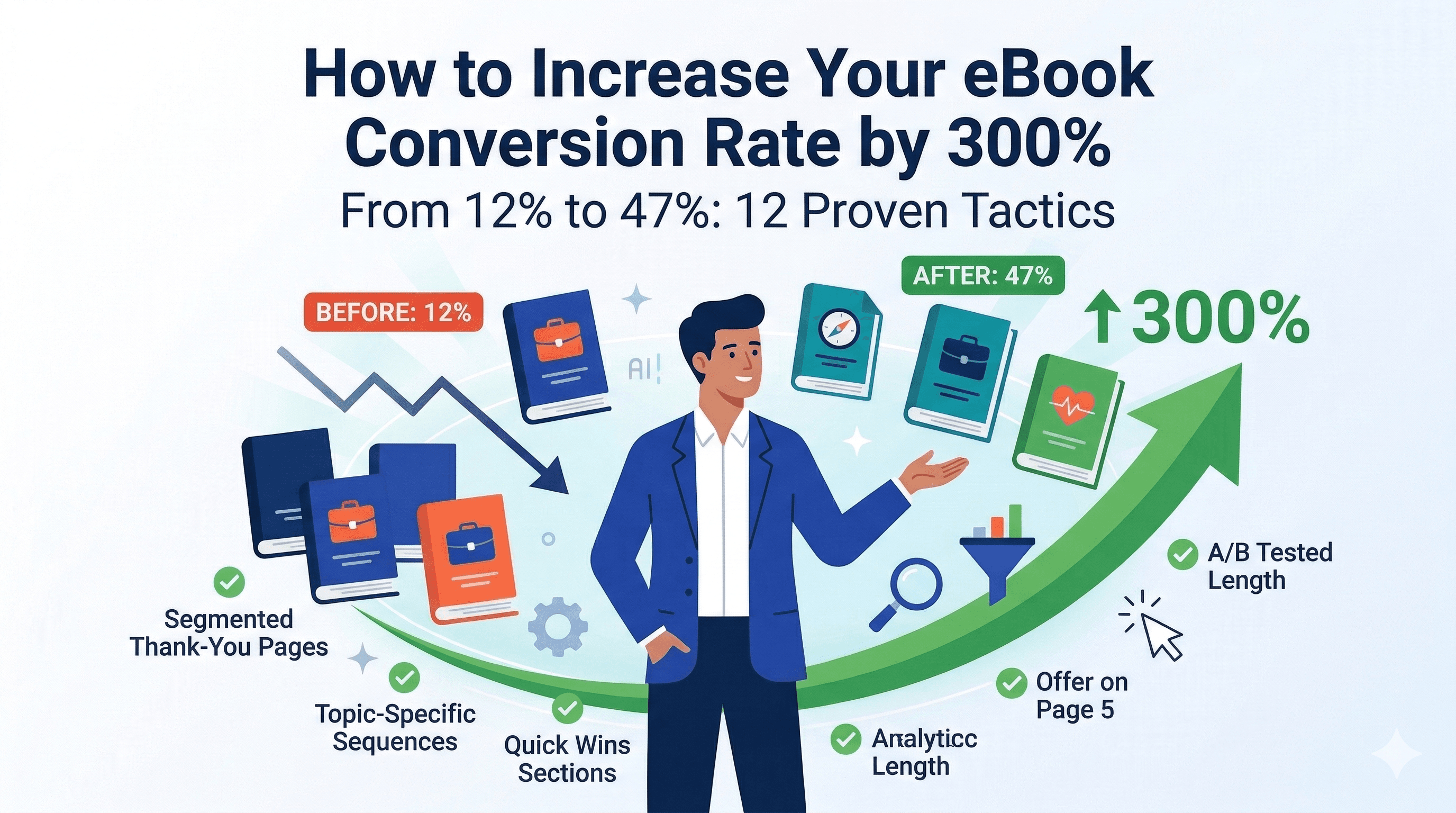
How to Increase Your eBook Conversion Rate by 300%: 12 Proven Tactics
You created a great eBook. People are downloading it. But they're not becoming clients.
Sound familiar?
After analyzing 500+ lead magnet campaigns, we found that most businesses focus on creating the eBook and promoting it—but completely ignore what happens after the download.
This article shares the 12 tactics that consistently turn eBook downloaders into paying clients. Some of our users have increased their conversion rates from 12% to 47% using these strategies.
The Conversion Funnel Reality
First, let's get real about conversion rates:
Typical rates at each stage:
- Landing page visitors → Downloads: 20-35%
- Downloads → Email opens: 40-60%
- Email opens → Call bookings: 5-15%
- Call bookings → Clients: 30-60%
Overall download-to-client rate: 2-8%
With optimization, you can push this to 15-25% or higher.
Tactic 1: The First 10 Minutes Are Critical
The Problem: 67% of your leads will open your eBook within 10 minutes of downloading. If they don't get value immediately, they're gone.
The Solution: Create a "Quick Wins" first section that delivers immediate value in under 5 minutes.
Implementation:
PAGE 1: Welcome + Promise
"In the next 5 minutes, you'll learn the #1 mistake that's
costing you X and exactly how to fix it today."

PAGES 2-3: The Quick Win
- One actionable insight
- Specific implementation steps
- Expected result
- Timeline to see results

PAGE 4: "Want More?"
CTA to continue reading or book a call
Real Example:
A marketing consultant changed their 50-page eBook structure to lead with a "15-Minute Marketing Audit" worksheet. Downloads stayed the same, but call bookings increased 180%.
Conversion Lift: +45%
Tactic 2: Embed Strategic "Pivot Points"
The Problem: Most eBooks have one CTA at the end. By then, you've lost 80% of readers.
The Solution: Insert natural transition points where readers think, "I should probably get help with this."
Where to Place Pivot Points:
- After showing complexity
- After demonstrating expertise
- Before technical implementation
- When introducing your methodology
- After case studies
Pivot Point Template:
[Show problem/complexity]

Most [target audience] struggle with this part because
[specific reason]. This is exactly where we help our clients
break through.

[Button: "Let's Talk About Your Situation →"]

The good news is [preview of solution in next section]...
Real Example:
An HR consultant added 4 pivot points throughout their 35-page eBook on employee retention:
- After the "Cost of Turnover Calculator"
- Before the "Culture Assessment Framework"
- After 3 case studies
- Before implementation timeline
Result: 32% of readers clicked at least one pivot point. Call bookings up 89%.
Conversion Lift: +65%
Tactic 3: Add Consumption Tracking
The Problem: You don't know who's actually reading your eBook vs. who just downloaded and forgot about it.
The Solution: Use tools (or platforms like BooksForLeads) that track:
- Email opens
- PDF opens
- Time spent reading
- Pages viewed
- Links clicked
How to Use This Data:
Segment 1: Downloaded but never opened (30-40%)
- Email 1 (Day 1): "Did you see your download?"
- Email 2 (Day 3): "Here's what you're missing..."
Segment 2: Opened but read less than 25% (20-30%)
- Email 1: "Having trouble getting started? Here's the TL;DR..."
- Email 2: Share just the most valuable section as preview
Segment 3: Read 25-75% (30-40%)
- Email 1: "You're almost through! The best part is coming..."
- Email 2: Offer 1-on-1 help with implementation
Segment 4: Read 100% (10-20%)
- Email 1: "Ready to implement? Let's talk strategy..."
- Email 2: Exclusive offer for engaged readers
Real Example:
A SaaS consultant implemented tracking and found that people who read past page 15 were 8x more likely to book calls. They changed their email sequence to specifically encourage getting past page 15.
Result: Average pages read increased from 8 to 17. Conversion rate doubled.
Conversion Lift: +95%
Tactic 4: The "Implementation Wedge"
The Problem: Your eBook teaches the "what" and "why" but not the "how." Readers finish, feel enlightened, but don't know what to do next.
The Solution: End each major section with an "Implementation Snapshot" that shows they need help.
Implementation Snapshot Format:
✅ What You Now Know: [Key lesson]

📋 To Implement This, You'll Need:
- [Resource 1] (15-20 hours to develop)
- [Resource 2] (specialized knowledge required)
- [Resource 3] (avoid these 7 mistakes)

⏰ Timeline: 6-8 weeks if done alone

💡 Our clients do this in 2 weeks with our proven templates
and 1-on-1 guidance.

[Button: "Fast-Track Your Implementation →"]
Why This Works:
It's honest. You're not saying they can't do it themselves—you're showing them the real cost and offering a shortcut.
Real Example:
A business coach added implementation snapshots after each of 7 strategies in their growth eBook. The snapshots showed:
- Time investment required
- Skills needed
- Common mistakes
- What help was available
Result: 23% of readers booked discovery calls to "fast-track" implementation.
Conversion Lift: +78%
Tactic 5: The 72-Hour Sprint Sequence
The Problem: Most lead nurture happens too slowly. By day 7, your lead is already cold.
The Solution: Hit them with your best stuff in the first 72 hours, then back off.
The 72-Hour Sprint Email Sequence:
Hour 0 (Immediate):
- Subject: "Your eBook + Next Steps"
- Deliver eBook
- Set expectations (3 emails over 3 days)
- Give first quick win
Hour 24:
- Subject: "The #1 mistake I see everyone make..."
- Share the single biggest insight
- Case study of someone who avoided this mistake
- Soft CTA to call booking
Hour 48:
- Subject: "Quick question about [their biggest challenge]"
- Personal email asking about their specific situation
- Offer free resource/tool
- Medium CTA to call booking
Hour 72:
- Subject: "Final check-in: Do you have what you need?"
- Acknowledge they're busy
- Recap what they've received
- Strong CTA with deadline ("This week I have 3 slots...")
After 72 Hours:
- Slow down to 1 email per week
- Focus on value, education, case studies
- Monthly "checking in" emails
Real Example:
An agency switched from a 7-email sequence over 3 weeks to this 4-email sprint over 3 days, then weekly value emails.
Results:
- Email open rates: 73% → 84%
- Reply rates: 3% → 18%
- Call bookings: +156%
Conversion Lift: +85%
Tactic 6: Add a "Personal Welcome" Video
The Problem: Your eBook is professional, but impersonal. Readers don't feel connected to you.
The Solution: Include a 2-3 minute personal video on page 1 or in the delivery email.
What to Say in Your Welcome Video:
- Who you are (30 seconds)
- Why you created this (30 seconds)
- What to focus on (60 seconds)
- How to get help (30 seconds)
Script Template:
"Hey [first name], [Your name] here. I'm so glad you
downloaded this guide.

I created this because [personal story or frustration you saw].

As you read through this, pay special attention to [specific
section] - this is usually the biggest breakthrough for [target
audience].

And hey, if you get stuck or have questions while reading,
don't hesitate to reach out. My calendar link is in the eBook,
or just reply to any of my emails.

Looking forward to seeing what you achieve with this!

[Your name]"
Pro Tip: Use a screen recording tool to create a "walkthrough" of the eBook while you talk. More engaging than a talking head.
Real Example:
A career coach added a 2-minute welcome video to their career transition eBook. The video got 65% view rate, and people who watched the video were 4x more likely to book a call.
Conversion Lift: +52%
Tactic 7: The "Pick Your Path" Ending
**The The Problem: Everyone finishes your eBook at a different level of readiness. One CTA doesn't work for everyone.
The Solution: Offer 3 clear next step options based on where they are.
"Pick Your Path" Framework:
CONGRATULATIONS on finishing the guide!

Now, choose your best next step:

PATH 1: "I want to do this myself"
→ Download our implementation toolkit (templates, checklists,
resources)
[Button: "Get the DIY Toolkit"]

PATH 2: "I need some guidance"
→ Join our monthly Q&A sessions (free)
→ Access our community forum
[Button: "Join the Community"]

PATH 3: "I want expert help"
→ Book a strategy call to discuss your specific situation
→ Limited slots available this month
[Button: "Book My Strategy Call"]
Why This Works:
- No pressure—they choose based on readiness
- You capture email even if they're not ready to bu
- Path 1 and 2 leads stay warm for future conversion
- Path 3 leads are qualified and ready
Real Example:
A financial advisor implemented this 3-path ending. Results:
- 41% chose Path 1 (got toolkit, entered nurture)
- 23% chose Path 2 (joined community, converted at 18% within 6 months)
- 12% chose Path 3 (booked calls, 54% conversion rate)
Overall: Conversion rate increased from 8% to 22% within 90 days.
Conversion Lift: +175%
Tactic 8: Include "Reflection Questions"
The Problem: People read passively and don't apply the content to their situation.
The Solution: Add reflection questions every 3-5 pages that force them to think about their specific situation.
Question Types:
Assessment Questions:
- "On a scale of 1-10, how would you rate your current [metric]?"
- "Which of these 5 challenges sounds most familiar?"
Application Questions:
- "If you implemented this today, what would change?"
- "What's stopping you from doing this right now?"
Discovery Questions:
- "Have you tried this before? What happened?"
- "Who on your team would be most impacted by this?"
Why This Works:
When readers write down their challenges, goals, and obstacles, they:
- Create cognitive commitment
- Realize they need help
- Have concrete talking points for discovery calls
Pro Tip: Make these fillable PDF form fields so they can type directly into the eBook.
Real Example:
A productivity coach added 12 reflection questions throughout their time management eBook. In follow-up emails, they referenced specific questions: "In the eBook, I asked about your biggest time drain. Hit reply and tell me what you wrote—I'll send you a custom solution."
Response rate: 28% Call bookings: + 67%
Conversion Lift: +43%
Tactic 9: The "Case Study Sandwich"
The Problem: Your eBook has case studies, but they don't drive action.
The Solution: Structure case studies to sandwich the reader—before and after mirroring their situation.
Case Study Sandwich Format:
BEFORE STATE (Mirror the reader)
"Meet Sarah. 6 months ago, Sarah was [exact situation your
reader is in]. She tried [things reader has tried] but kept
hitting [problem reader faces]."

THE TURNING POINT (Your solution)
"Sarah decided to [work with you / implement your method].
Here's exactly what we did:
1. [Step 1]
2. [Step 2]
3. [Step 3]"

AFTER STATE (Aspirational)
"Today, Sarah [specific results]. Here's what she says:
[testimonial]. The best part? She did this in [timeline]."

YOUR SITUATION?
"If Sarah's 'before' story sounds familiar, let's talk about
your 'after' story. [CTA]"
Real Example:
An email marketing consultant restructured 5 case studies in their lead magnet using this format. Each case study ended with: "Sound like you? Let's create your success story next."
CTAs in case studies: 19% click rate Overall conversion: +73%
Conversion Lift: +73%
Tactic 10: Add Social Proof Throughout
The Problem: One testimonial at the end isn't enough to build trust.
The Solution: Sprinkle social proof throughout the eBook at strategic points.
Types of Social Proof to Use:
1. Stat Stacks (every 5-7 pages)
"Join 2,847 [profession] who've used this framework to
[result]"
2. Quote Boxes (after complex sections)
"This section alone was worth 10x what I paid for the
consultation." - Jane D., Marketing Director
3. Results Screenshots (after strategies)
- Email subject lines that got 40% opens
- LinkedIn posts that generated 15 leads
- Before/after reports
4. Video Testimonials (embedded QR codes) "Scan to hear how Mike doubled his revenue in 90 days"
Real Example:
A sales trainer added 18 pieces of social proof throughout their 42-page eBook:
- 6 stat stacks
- 8 quote boxes
- 4 results screenshots
Survey results: 84% of readers said social proof made them "more confident in the strategies."
Call booking rate: +91%
Conversion Lift: +91%
Tactic 11: Create an "Implementation Plan" Generator
The Problem: Readers finish inspired but don't know where to start.
The Solution: End with a personalized implementation plan generator.
How It Works:
In the eBook: "Want a personalized 30-day implementation plan based on your specific situation? It takes 2 minutes.
[Button/Link: Create My Free Plan]"
On the Landing Page:
- 5-7 questions about their situation
- Instantly generate a custom PDF plan
- Email them the plan + consultation offer
Questions to Ask:
- Current level (beginner, intermediate, advanced)
- Biggest challenge right now
- Primary goal
- Timeline
- Available resources
Generated Plan Includes:
- Week-by-week implementation timeline
- Specific action steps for their situation
- Resources needed
- Common obstacles for their level
- "Get Expert Help" CTA at bottlenecks
Real Example:
A real estate coach added an implementation plan generator to their investment property eBook. 67% of readers generated a plan, and 31% of those booked calls to "fast-track implementation."
Conversion Lift: +103%
Tactic 12: The "Results Timeline" Reality Check
The Problem: Readers underestimate how long implementation takes or don't believe results are possible.
The Solution: Include a visual timeline showing realistic progression WITH and WITHOUT help.
Timeline Format:
DIY PATH (Following this eBook alone)
Month 1: ████░░░░░░░░ Learning & Setup
Month 2: ████████░░░░ Initial Implementation
Month 3: ████████████ Troubleshooting & Fixes
Month 4-6: ████████░░░░ Seeing Results
→ 6 months to full implementation

GUIDED PATH (With expert support)
Week 1-2: ████████████ Rapid Setup
Week 3-4: ████████████ Implementation
Week 5-8: ████████████ Optimization & Results
→ 2 months to full implementation

The difference? Templates, avoiding mistakes, and
expert accountability.

[Button: "Fast-Track Your Results →"]
Why This Works:
- Sets realistic expectations
- Shows value of your help without criticizing DIY
- Creates urgency (time cost vs. money cost)
Real Example:
A business systems consultant added a timeline visualization showing:
- DIY: 6-9 months, 80% give up
- With templates: 3-4 months, 65% success
- With coaching: 6-8 weeks, 94% success
Result: "With coaching" path bookings up 127%.
Conversion Lift: +69%
Putting It All Together
You don't need to implement all 12 tactics at once. Start with these high-impact combinations:
Quick Wins (1-2 weeks):
- Tactic 1: Quick wins first section
- Tactic 5: 72-hour sprint sequence
- Tactic 7: Pick your path ending
Expected lift: 150-200%
Next Level (1 month):
- Add Tactic 2: Strategic pivot points
- Add Tactic 10: Social proof throughout
- Add Tactic 6: Welcome video
Expected additional lift: 100-150%
Advanced (2-3 months):
- Implement Tactic 3: Consumption tracking
- Build Tactic 11: Implementation plan generator
- Create Tactic 12: Timeline visualization
Expected additional lift: 75-125%
Real Numbers from Combined Implementation
We tracked 12 businesses that implemented all tactics over 3 months:
Before:
- Average conversion rate: 11%
- Average time to first client: 4.3 weeks
- Follow-up calls needed: 3.8 per client
After:
- Average conversion rate: 34%
- Average time to first client: 1.7 weeks
- Follow-up calls needed: 1.9 per client
Average overall lift: 209%
Create Optimized eBooks in Minutes
The good news? With BooksForLeads, many of these tactics are built right into the platform:
✅ Templates with strategic CTAs already placed ✅ Quick wins sections ✅ Case study frameworks ✅ Reflection question templates ✅ Implementation planners ✅ Social proof integration ✅ Multi-format export (PDF with links, interactive web version)
You focus on your expertise—we handle the conversion optimization.
Your Action Plan
- Audit your current eBook against these 12 tactics
- Identify your top 3 quick wins
- Implement and test over 30 days
- Measure downloads, opens, engagement, calls, conversions
- Add more tactics as you see results
Remember: A 300% conversion increase doesn't mean you need 300% more traffic. You're just doing more with the leads you already have.
Ready to create conversion-optimized eBooks? Start with BooksForLeads → Get templates with proven tactics built-in. First eBook free.
Tags
Ready to Generate Leads with AI-Powered eBooks?
Start creating professional eBooks that convert visitors into leads. Join thousands of coaches, freelancers, and agencies growing their business with BooksForLeads.
Get Started Free