Best Canva Pro (for eBook Creation) Alternatives for Lead Generation in 2026
Compare the best Canva Pro (for eBook Creation) alternatives for lead generation. Honest comparisons of features, pricing, and use cases to help you choose the right tool.
Best Canva Pro (for eBook Creation) Alternatives for Lead Generation in 2026
Canva Pro is a spectacular tool for social media graphics and single-page designs, but users frequently hit a formatting wall when attempting multi-page eBooks. The most prominent frustration is the 'Template Struggle': adapting a stunning, complex design to your actual content often takes hours of pixel-pushing. Furthermore, while the design is simplified, Canva doesn’t help you with the writing; users still suffer from 'Empty Page Syndrome,' having to create all content elsewhere and manually import/paste it.
In 2026, user reviews often highlight that the 'Drag-and-Drop' simplicity becomes cumbersome when managing a 30+ page document. A minor adjustment on page 5 can ruin the alignment on page 6. Users also complain about 'Asset Management' inside long documents—trying to sort dozens of custom images and charts within a linear design flow is disorganized and frustrating, making the final stages of eBook creation feel like an agonizing chore rather than a quick win.
Category: eBook Design & Lead Magnet Creation
Original Pricing: $12.99/month (Canva Pro) or $14.99/month (Canva for Teams, per person)
Best For: Social media graphics, presentations, quick branded images, one-pagers.
Worst For: Multi-page eBooks, automated content generation, integrated lead capture forms.
Key Challenges with Canva Pro (for eBook Creation)
Design time bottleneck, zero content writing help, cumbersome management of long documents.
1. BooksForLeads
AI Writes & Designs Your eBook in 10 Minutes
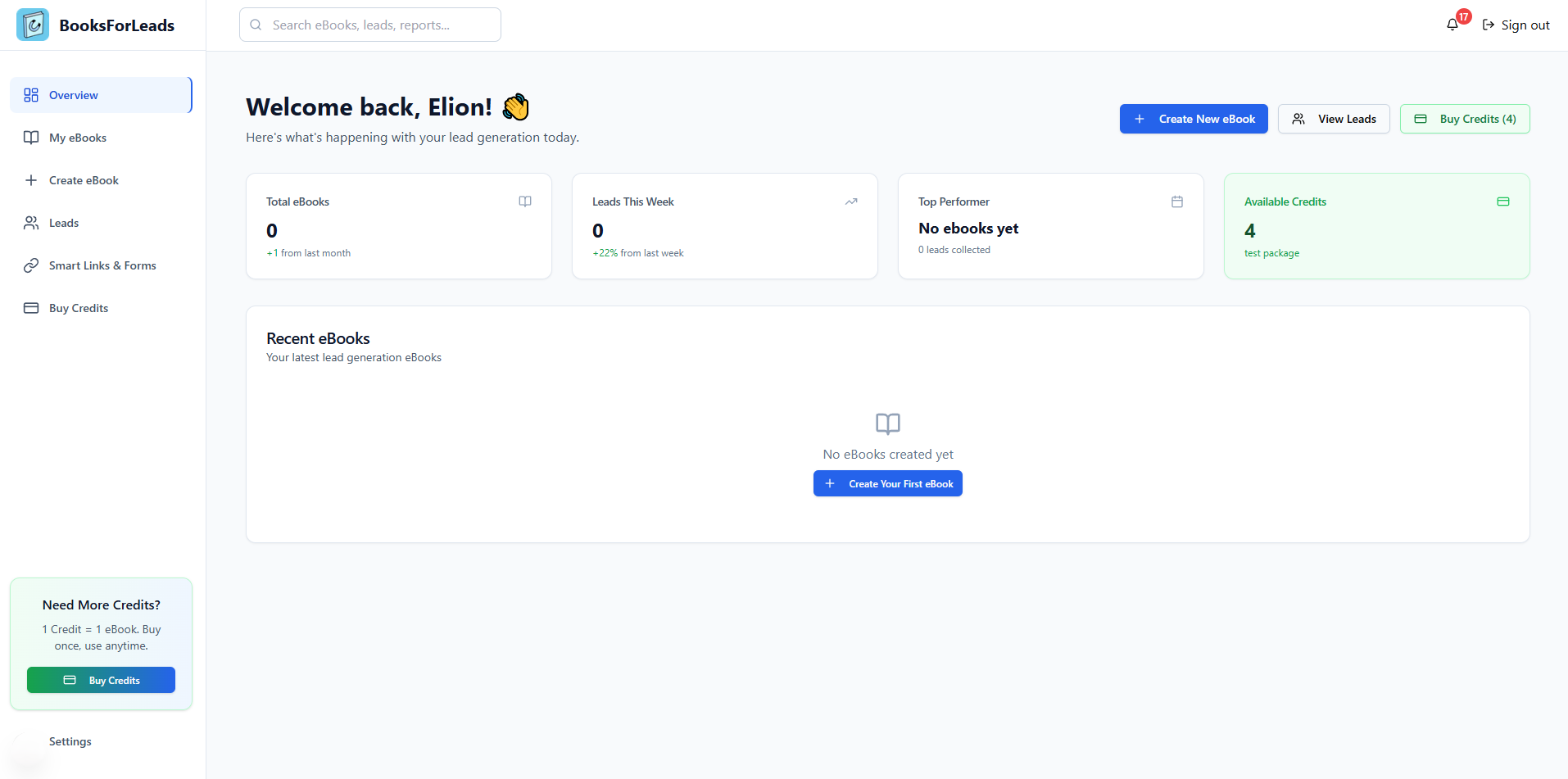
BooksForLeads is the definitive alternative for those who find Canva 'too manual' for multi-page documents. It removes the two biggest bottlenecks: content writing and layout design. Instead of dragging elements on a canvas, you provide a simple topic or hook, and the AI generates a structured, high-value eBook with a polished design applied automatically. It converts the abstract 'I need a lead magnet' into a complete, ready-to-download PDF asset in minutes.
Furthermore, BooksForLeads solves the 'What Now?' problem. Beyond the PDF, it automatically creates a matching, conversion-optimized landing page, complete with a lead capture form. It is an all-in-one 'Lead Magnet' generation engine, whereas Canva is strictly a design tool.
Pricing: €0 (1 free eBook) / €9 (3 eBooks) / €29 (10 eBooks)
Best For: Coaches, consultants, and entrepreneurs who need high-value lead magnets fast, without hiring writers or designers.
Pros
- AI generates the complete eBook content (chapters, text, hooks).
- Automated professional design and formatting (no template wrestling).
- Built-in landing page and lead capture forms included.
Cons
- Significantly less manual design control than Canva.
- Specifically focused on eBooks; not a general social media design tool.
Verdict: Choose BooksForLeads if your priority is speed, efficiency, and generating actual leads rather than mastering graphic design.
Choose BooksForLeads if: A marketing consultant creating a 'Top 5 Marketing Trends for 2026' guide in 10 minutes, complete with an automated landing page.
2. Designrr
The Ultimate Content Repurposing Tool
Designrr is the best choice if you already have existing content (like blog posts or PDFs) and want to convert them into sleek eBooks automatically. It handles multi-page document scaling much better than Canva, offering specialized tools to manage large layouts and consistent styling across dozens of pages.
Pricing: $29-$99/month (varies based on feature tier)
Best For: Marketers and bloggers who want to compile multiple pieces of content into guides or multi-chapter eBooks.
Pros
- Seamless content import from websites, URLs, Google Docs, and PDFs.
- Excellent management of long, multi-page document flows.
- Advanced eBook features like generating flipbooks and audiobooks.
Cons
- Has a steeper learning curve than Canva or BooksForLeads.
- Does not generate content from scratch; requires input material.
Verdict: Choose Designrr if you are swimming in existing content and need an automated way to compile and format it into professional publications.
Choose Designrr if: A blogger turning their top 20 articles into a comprehensive 'SEO Mastery' comprehensive guide.
3. FlippingBook
Transform PDFs into Interactive Experiences
FlippingBook isn’t a direct designer like Canva; it is a specialized 'flipbook' creator. If you already have a basic PDF (e.g., from Word or an ancient export), FlippingBook adds an interactive, realistic page-turning effect, making the consumption of long documents feel premium and engaging.
Pricing: $49/month (Starter) to $229/month (Premium)
Best For: Publishers, catalog managers, and real estate agents creating premium digital brochures.
Pros
- High-end interactive features (page flip, videos, interactive links).
- Comprehensive document analytics (see who is reading what).
- Professional digital publication appearance.
Cons
- The price is extremely high for casual lead magnet creation.
- Requires an existing document (PDF) to function.
Verdict: Choose FlippingBook if you already have content and your primary goal is the premium presentation and interactivity of a digital publication.
Choose FlippingBook if: An architect sending a 50-page digital portfolio with embeded walkthrough videos.
4. Beacon
Gated Content & Lead Generation Forms
Beacon is another tool that understands an eBook isn't enough; you need leads. It focuses heavily on 'Gating Content.' It allows you to create simple eBooks and then provides elegant, built-in lead capture forms and landing page creation, solving the other half of the marketing puzzle that Canva ignores.
Pricing: $49/month (Professional) to $149/month (Agency)
Best For:
Pros
- Specialized in 'Gating': integrates forms directly with the eBook.
- Built-in landing page builder designed for high conversion.
- Offers useful analytics on content consumption.
Cons
- The design tools are functional but feel very restrictive and basic.
- The price is quite high for a 'gating' tool compared to other lead magnet builders.
Verdict: Choose Beacon if you have already designed your eBook in another tool (like Canva) and just need a specialized, reliable system to gate it and collect leads.
Choose Beacon if: A B2B software company creating a gated 'Case Study Whitepaper' to generate qualified leads.
Feature Comparison
| Feature | Canva Pro (for eBook Creation) | BooksForLeads | Winner | |---------|----------|---------------|---------| | | | | | | | | | | | | | | | | | | | | | | | | |
Why Choose BooksForLeads?
Unique Advantages
✓
✓
✓
Pricing Advantage:
Best For:
vs Canva Pro (for eBook Creation):
Switching to BooksForLeads
Migration Difficulty:
Final Recommendation
For pure speed (writing + design + landing page): BooksForLeads. For content repurposing: Designrr. For maximum visual design control: Canva Pro. For premium digital presentation: FlippingBook.